
Pet Passport
Your pet's key details.
Shared on your terms.
Choose exactly what each scan shows, field by field. Share for one visit, a day, or until you turn it off.

Scan.
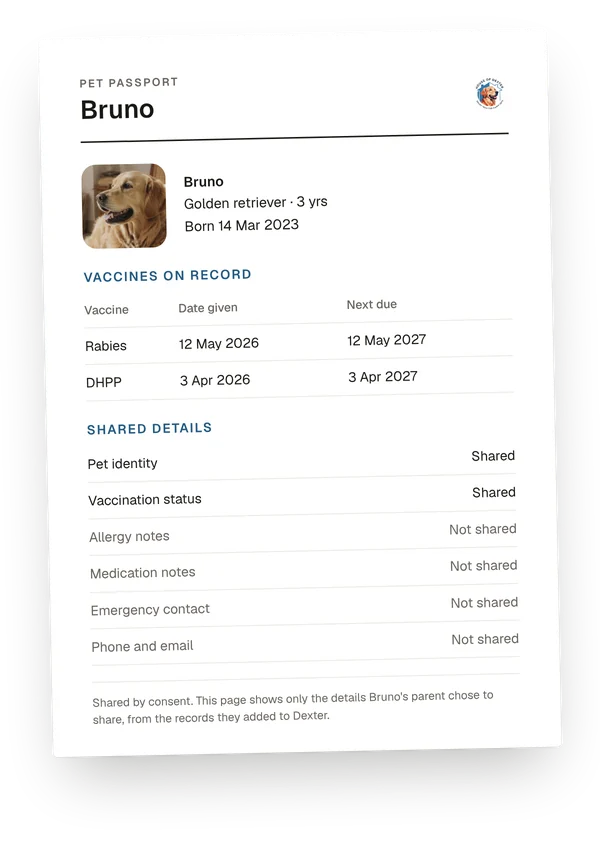
See what the parent allowed.
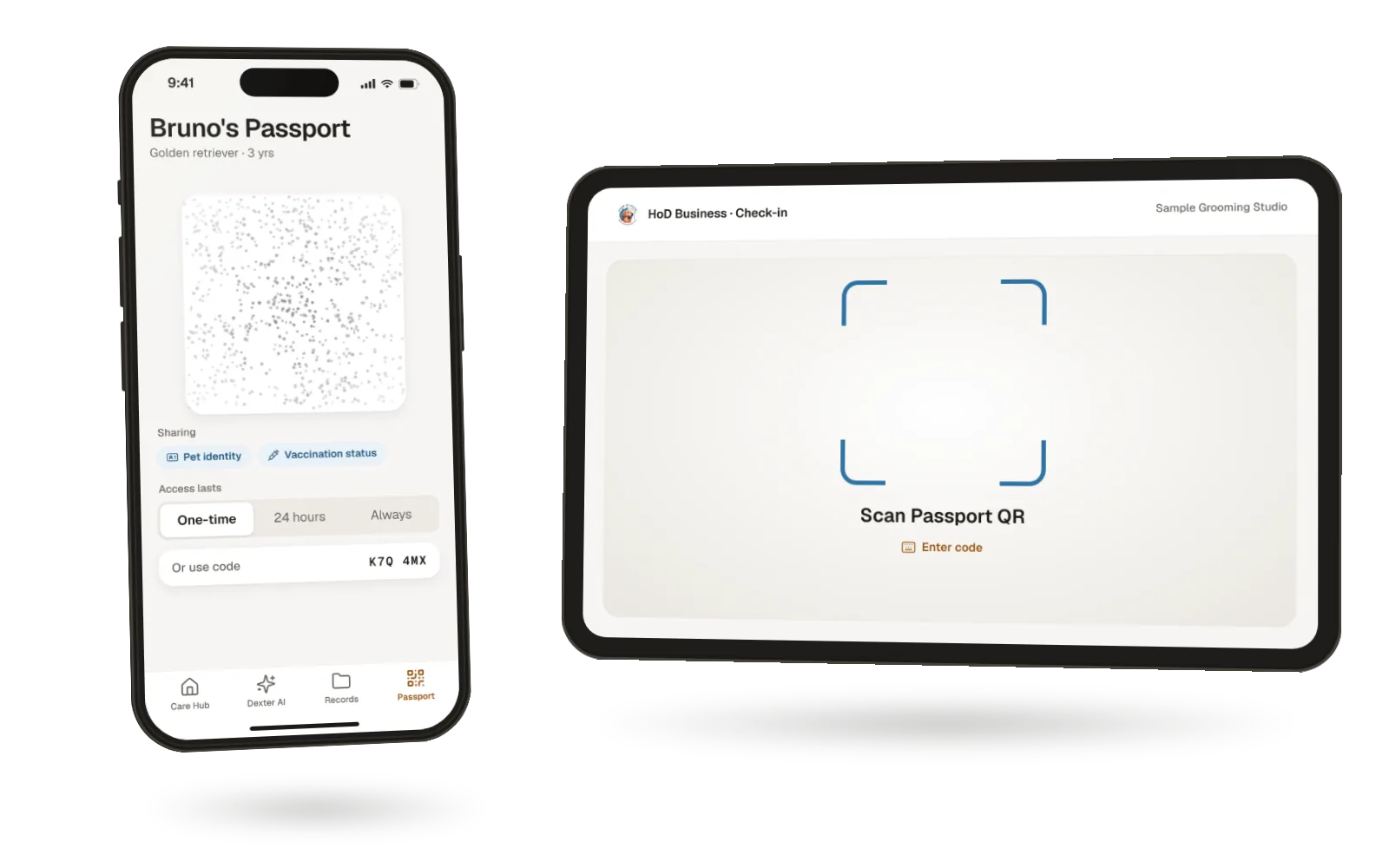
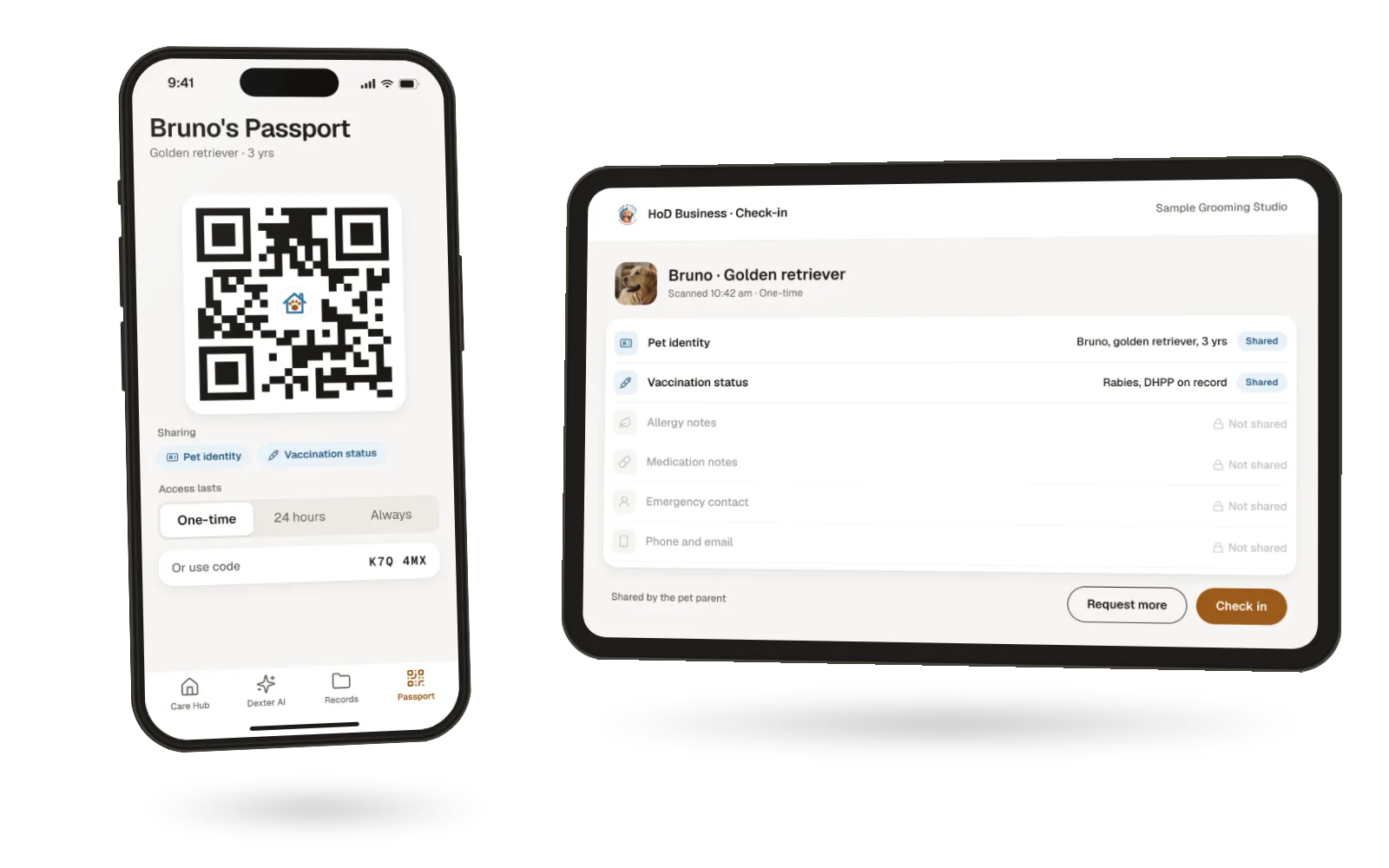
Sample screen
Show the QR at the desk.
One scan. Only the details you've switched on.
They see what you share. Nothing else.
Rows you haven't shared stay "Not shared", and a business has to ask to see more.
Three steps.
You decide each one.
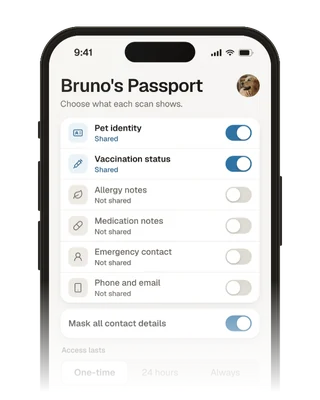
Choose what to share.
Switch each detail on or off, and pick how long access lasts.
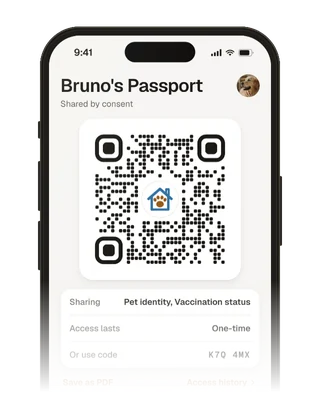
Show the QR or a code.
At daycare, a groomer, a sitter or a vet, show your QR or a one-time code.
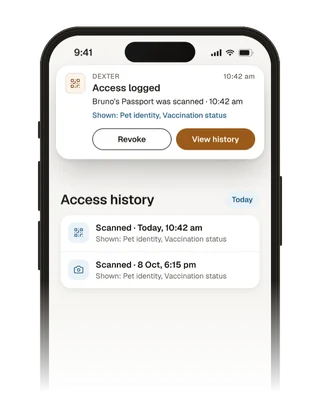
See who scanned.
Your access history shows who scanned and what they saw.
What you can share
Six details.
Each one your choice.
Switch each one on or off. Mask your contact details with one switch.
By default, only identity and vaccination status are shared, and your phone and email are not shared.
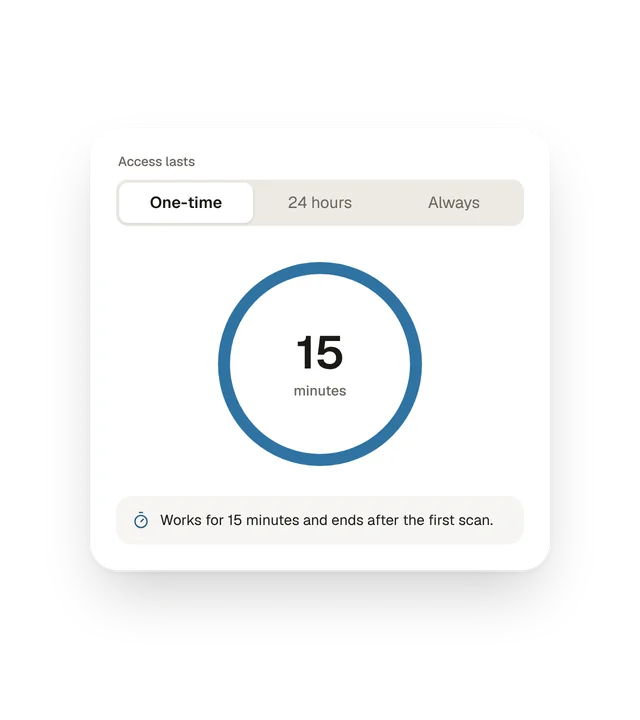
One visit, a day,
or until you say stop.
One-time.
Works for 15 minutes and ends after the first scan.
24 hours.
Good for a day at daycare or a boarding drop-off.
Always.
Stays on until you turn it off.
One-time codes work once and expire after 15 minutes.
You set what businesses see.
Others see less.
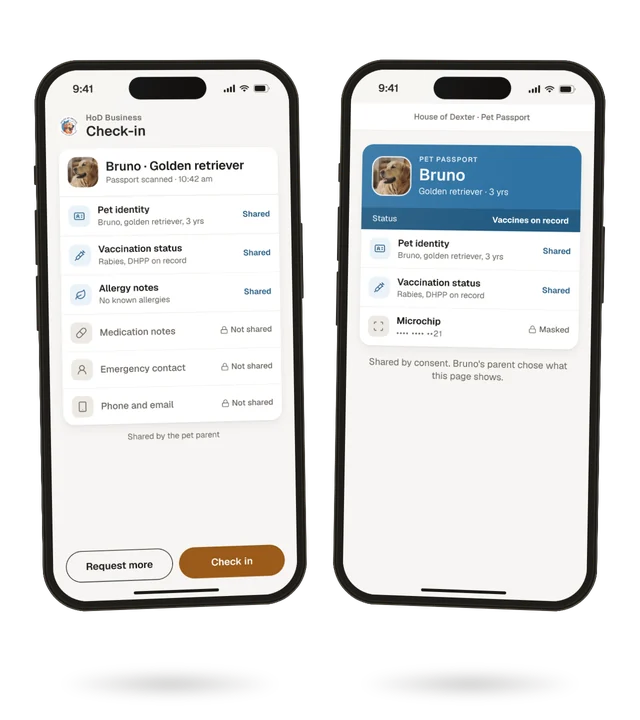
Businesses using HoD Business
They see the details you've switched on. If they need more, they can ask, and nothing changes until you approve.
Anyone with a phone camera
They see, at most, your pet's identity and vaccination status, and only if you've shared them. Never allergies, medication notes or contact details. Microchip numbers are masked.
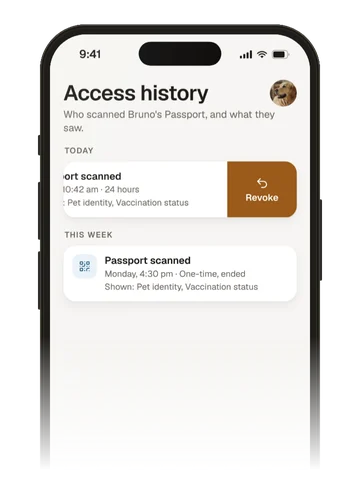
Changed your mind?
Revoke it.
Revoke access for one business, or for every business at once. It stops working straight away.
Need it on paper?
Save it as a PDF.
Print your Passport or save it as a PDF. It includes only the details you're sharing.
Your data
Your pet's records.
Your call.
Shared by choice.
Only the details you switch on, for as long as you choose.
Contact details not shared.
Your phone and email stay masked unless you choose to share them.
Every scan logged.
See who scanned and what they saw, any time.
We don't sell your data.
Not your details, not your pet's records.
Delete any time.
Delete your account and your data goes with it.
Does the vet or groomer need an app?
No. Anyone can scan with a phone camera and see, at most, identity and vaccination status. Businesses using HoD Business can see the extra details you've allowed.
Is the Pet Passport an official or travel document?
No. It shows the details and records you've added to Dexter. It isn't a government, council or travel document.
Does anyone check the records in my Passport?
No. Your Passport shows what you've added or imported. Nobody checks it on your behalf.
What's shared if I do nothing?
Only your pet's identity and vaccination status. Your phone and email are not shared.
Can a business see more than I allowed?
No. A business can ask for more, and nothing changes unless you approve.
How do I stop sharing?
Revoke access for one business or for all of them from your Passport. It stops straight away.

Show what matters.
Nothing more.
Free for pet parents, wherever you are.
Free. No paywall. Use it on the web today. Coming soon to the App Store and Google Play.